Showing posts with label Video Editing Software. Show all posts

Thursday, November 20, 2014

AVS Video Converter 9.0 postheadericon

Convert All Key Video Formats
Encode HD Video (inc. AVCHD, TS, TOD, AVI HD, M2TS, etc.), AVI, MP4, WMV, Blu-ray, 3GP, DVD, VOB, MPEG, H.263/H.264 codecs, DVR-MS, MKV, FLV, etc. with AVS Video Converter. See a full list of supported video formats

Manage HD-Camera Videos
Convert AVCHD, MPEG-2 HD, AVI HD, TOD/MOD, M2TS/MTS, etc. Edit HD-videos, add menus, subtitles, etc. and convert them to any video format supported by AVS Video Converter. Burn DVD/Blu-ray discs.


Convert Video for Various Devices
AVS Video Converter includes ready presets to convert video for iPhone, iPad, iPod Touch, Samsung, Android tablets, Sony PSP, Amazon Kindle, smartphones, portable media players, etc. See a full list of supported devices

Create Personal DVD/Blu-ray Videos
Convert from/to Blu-ray or DVD formats. Cut, apply effects, add colorful DVD/Blu-ray menus. Split your movie into chapters and burn DVD/Blu-ray discs with AVS Video Converter.

Presets for New Generation Devices
Convert your video to play it on iPhone 5S/5C, iPad 4/Air, Samsung Galaxy S4/ Galaxy Note 3/ Galaxy Note 10.1/ Galaxy Tab 3, Sony PS4.

Convert & Share Your Videos on Web
Convert video to FLV, F4V, etc. with AVS Video Converter. Create HTML pages with embedded FLV/F4V videos. Upload videos on your website, Facebook, Flickr, MySpace, etc.

Multilingual Support
AVS Video Converter interface and tech-support are available in English, French, German, Spanish, Italian, Japanese, Dutch, Korean, Polish, Danish and Russian.
See a full list of service utilities included into the installation.
 
Download AVS Video Converter Version:  9.0.1.566File Size:  60.88 MB

Platforms:  Windows 8.1, 8, 7, XP, 2003, Vista
(no Mac OS/Linux support)
 
All key formats are supported Read: HD Video (inc. Blu-ray video, AVCHD, MPEG-2 HD and WMV HD), AVI (DivX, Xvid, etc.), DV AVI, MP4 (inc. Apple iPad, Android tablets and Sony PSP), WMV, 3GP, 3G2, QuickTime (MOV, QT), DVD, VOB, VRO, MPEG-1, 2, 4, TOD, MOD, MPG, DAT, VCD, SVCD, Real Video (RM, RMVB), ASF, ASX, MJPEG, H.263, H.264, DVR-MS, MKV, OGM, FLV, F4V, AMV, MTV, TS, M2TS, M2T, MTS, DPG, NSV, FLI, FLC, CDG, PPT, GVI, TRP, GIF, WTV.

Write: HD Video (inc. Blu-ray video, MPEG-2 HD and WMV HD), AVI (DivX, Xvid, etc.), MP4 (inc. Sony PSP, Apple iPod and Archos), WMV, 3GP, 3G2, QuickTime (MOV, QT), SWF, FLV, F4V, DVD, MPEG-1, 2, 4, MPG, MJPEG, H.263, H.264, MKV, MPEG1 DPG, AMV, MTV, GIF, TS, M2TS.

(Note: This software owner and creditor is www.avs4you.com
 

AVS Disc Creator 5.2 postheadericon


Burn DVD Discs
Burn video files available on HDD directly on to a DVD disc with
AVS Disc Creator. All major media are supported: DVD+/-R, DVD+/-RW, DVD-RAM, Double/Dual Layer DVD, etc.


Write Blu-Ray Data
Write your data onto Blu-ray (BD-R, BD-RE) discs. Store your data in the highest quality due to the unique BD data capacity of 25 or 50 GB per disc.

Create Boot Discs
Create boot CD/DVD discs with AVS Disc Creator. Make a copy of your software to load and run an operating system or utility programs in case of emergency.

Make ISO Image
Create an image of your personal video and save it on PC. Or make an ISO image directly from a disc or HDD. Edit, delete or add new files in ready disc images made with AVS Disc Creator.

Support of Multiple Image File Formats
AVS Disc Creator supports a variety of image file formats such as Nero Burning-ROM image files, Alcohol 120% image files and so on. See a full list of supported disc image formats.

Multilingual Support
AVS Disc Creator interface and tech-support are available in English, French, German, Spanish, Italian,

Download AVS Disc Creator

Platforms:  Windows 8.1, 8, 7, XP, 2003, Vista
(no Mac OS/Linux support)
Support of Multiple Image Formats ICD, BIN, CUE, NRG, MDS, MDF, PDI, PDI01, PDI02, PDI03, PDI04, B5T, B5I, B6T, B6I, B00, B01, SUB, CCD, IMG, DAA, CDI, UIF, DVD, 000, 001, 002, 003, 004, XMD, XMF, DI, DI01A, DI01B, DI01C, DI01D, IBP, IBQ, IBQ01, IBQ02, IBQ03, P2I, RIF, C00, C01, C02, VaporCD, FCD, VCD, VDI, ASHDISC, VC4, NCD, DAT, C2D, BWT, BWI

(Note: This software owned & all credited by  www.avs4you.com)
 

AVS Audio Editor 7.3 postheadericon


Save Audio in All Key Formats
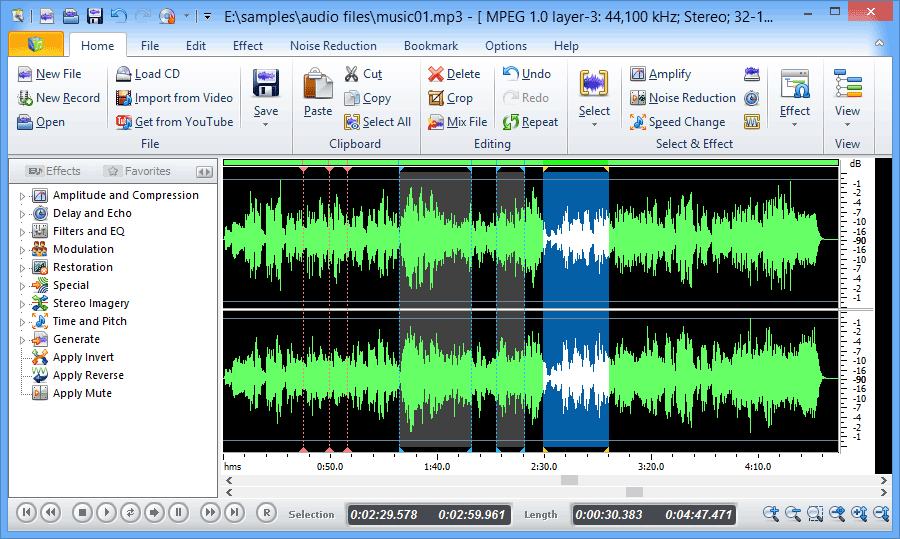
Edit and save audio files in MP3, FLAC, WAV, M4A, WMA, AAC, MP2, AMR, OGG, etc. with AVS Audio Editor. See a full list of audio formats.

Edit Audio
Cut, join, trim, mix, delete parts, split with AVS Audio Editor. Use Timeline for maximum precision. Use specially designed filters to remove irritating sounds like roaring, hissing, crackling, etc. 

Apply Audio Effects
Select between 20 built-in effects and filters including delay, flanger, chorus, reverb, and more. Mix audio and blend several audio tracks. AVS Audio Editor saves output files in any popular format.

Record Audio from Any Input
Record audio data from various inputs like microphone, vinyl records, and other input lines on a sound card. Edit recorded audio files, apply effects, save them in any key audio format.

Export Audio from Video
Extract and edit audio from your video files with AVS Audio Editor. Save them on PC or external hardware. See a full list of supported video formats.

Create Ringtone for iPhone
Edit an audio file and save it to M4R format for iPhone. Get a unique ringtone ready with AVS Audio Editor.

Multilingual Support
AVS Audio Editor interface and tech-support are available in English, French, German, Spanish, Italian, Japanese, Dutch, Polish and Russian.
See a full list of service utilities included into the installation.
Download AVS Audio Editor Version:  7.3.1.493File Size:  40.21 MB

(Thi software owner & all credited by www.avs4you.com)

Free Audio Editor 2014 postheadericon

Completely free editor for windows. 
  • Superior Audio
  • Powerful Effects
  • Easy to Use
  • Completely Free
The complete Audio Recording/Editing package
   Download Here

The easy way to record, edit and enhance your sounds!

Edit audio files visually; Record audio from a microphone or any other available input device; Apply various effects; Burn audio CDs from MP3, WMA, WAV, and OGG; All in one program, simple and intuitive - FAE (free audio editor). Completely free!

10 fundamental reasons for using Free Audio Editor

  • Powerful audio recording feature
  • Edit audio files visually
  • Apply various effects easily
  • Powerful noise reduction tool
  • Easy to use interface will get you started editing in just minutes
  • Real-time effect preview is supported
  • Easy to use bookmark and region manager
  • Supports a number of file formats including wav (multiple codecs), mp3, wma, ogg and many more.
  • Burn your sound files to CD
  • Tools include speech synthesis (text-to-speech)
  • Completely Free! 
(The owner & all credited of this software www.free-audio-editor.com)

Movavi Video Editor postheadericon

  1. Add a video from a PC or camera
  2. Edit and improve in an intuitive interface
  3. Add spectacular effects and fades
  4. Save for PC/mobile or upload online


Make your own movies – it's as easy as 1-2-3!
If you think video editing is too complicated, you should try Movavi Video Editor for Windows with its new ultra-intuitive interface. We guarantee you’ll be able to create a demo, a video tutorial with your own voice-over commentary, a video message for your family, or a funny animation for your friends in no time – even if you’ve never edited a video before! Add video fragments, overlay music and stylish titles, join multiple clips together with animated transitions, and save to any format. You’ll be editing like a pro before you know it!


Improve video quality. Add various special effects

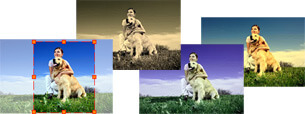
Apply various special effects with Movavi Video EditorMovavi’s useful filters and special effects will take you from indie filmmaker to master director – improve the quality of your video clips or give a new perspective to a familiar image. Apply enhancing automatic filters or adjust the parameters of your video manually to achieve a unique combination of colors, light, and contrast. Use the new special effects like Twirl, Stripes, Find Edges, and others to create an art video from your raw footage. Try the Split Screen effect to combine up to four clips on a single screen and the Zoom effect to imitate the camera zoom.

Split, crop, and join movies. Add music and titles

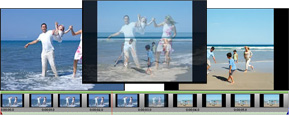
Split, crop and join videos with video editor from MovaviThe new built-in splitting program lets you slice your movies into multiple scenes and swap them around on the timeline so they play in any order you like. Cut out unnecessary elements. Hold down the Select button to mark the scenes you want to keep, or the Deselect button to delete the parts you don’t want, all while you’re viewing the real-time playback. Join fragments on the timeline back to back or make a smooth transition between two scenes by adding one of the many creative fades. Add multiple title tracks and add new animated titles for extra interest.

Create slideshows in 5 minutes

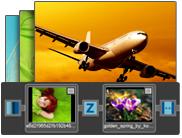
Create slideshows with our video editing softwareSwitch from the timeline to the storyboard mode to create stunning slideshows. Add multiple images to the panel and they will automatically turn into a slideshow with transitions between the frames. Save your slideshows as video files and share them online to make your friends’ day. Add music and titles, even create a greeting video slideshow for the holidays or just for fun.

Import and save 2D and 3D video in any format: SD, HD, DVD

Import and save videos in any format you need with Movavi video editorProcess video files, music, and pictures. Movavi Video Editor supports the most popular video and audio formats, including AVI, MP4, MKV, FLV, QuickTime, VOB, MP3, even video from DVD discs and more. Plus, with our Windows video editing software, you can import your DV/HDV camera footage to your hard drive and convert it to any format. When your project is ready, save it in the appropriate format for how you’re going to use it: as a video file in one many supported formats, for your mobile device, on a DVD, or for uploading to YouTube, Facebook, or Vimeo.

Capture video from camcorders, TV-tuners, and VHS. Record audio

Capture video and record audio from any sources with our video editing softwareCapture video from DV cameras and TV tuners. Save MPEG2-TS and AVCHD video from camcorders to your PC. Record live video. Add a special touch to your video travel diary or memorable family event. Digitize VHS tapes. Capture yourself on a webcam and create a featured video lesson. For anyone interested in 3D video shooting and editing, we have great news – Movavi does even 3D video. Expand your soundtrack with do-it-yourself audio recordings using any sound card input – microphone, electric guitar, and more. You can also record audio directly into your movie.


(This Software Owned & all credited by www.movavi.com)

VideoPad Video Editor postheadericon


Video Editing Software Anyone Can Use


Designed to be intuitive, VideoPad is a fully featured video editor for creating professional quality videos in minutes. Making movies has never been easier.

 Download Here


  • Drag and drop video clips for easy video editing
  • Apply effects and transitions, adjust video speed and more
  • One of the fastest video stream processors on the market 


Get it Free. A free video editor version is available for non-commercial use only. If you will be using it at home you can
Limited time only. Free version is a limited new release offer and will be removed after November 30.

Click to download VideoPad Free Video Editing Software
  • Edit video from any camcorder
    Capture video from a DV camcorder, VHS, webcam, or import most any video file format including avi, wmv, mpv and divx.
  • Full of transitions and visual effects
    Over 50 visual and transition effects to add a professional touch to your movies.
  • Create videos for DVD, HD, YouTube and more
    Burn movies to DVD for playback on TV, or as a standalone video file to share online or put on portable devices. 

Stunning Video Transitions and Effects

  • Choose from a wide range of video clip transitions
  • 3D video editing and 2D to 3D stereoscopic conversion
  • Customize the duration of applied transitions
  • Overlay text for captions and movie credits
  • Chroma key green screen video production
Edit movies in your own video studio with easy-to-use transition effects.

Amazing Audio Tools

  • Import and mix music tracks like a pro
  • Make your own custom movie soundtrack with MixPad multi-track mixing software
  • Record your own narrations with the click of a button
  • Use sound effects from the free Sound Effect Library
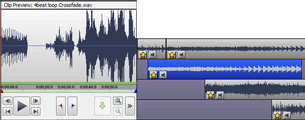
VideoPad mpeg editor and movie maker allows you to mix a soundtrack for your movie

Complete Video Optimization

  • Fine-tune color and other visual effects
  • Slow down, speed up or reverse video clip playback
  • Reduce camera shake with video stabilization
  • Add photos and digital images to your sequences
  • VirtualDub plugin support for added tools and effects
Optimize AVI or MPEG video files with VideoPad Movie Maker

Share With Family and Friends

  • Burn to DVD and watch on your TV
  • Save for YouTube and share online
  • Save to PSP, iPod, iPhone or 3GP mobile phone
  • Export movies in standard definition or full HD (720p, 1080i or 1080p)
Easily share finished videos with family and friends

System Requirements
  • Works on Windows 7, XP, Vista and 8
  • Works on Mac Intel OS X 10.4.4 and above
  • iPad version runs on iOS 4.3 or higher
  • Android version runs on 2.3.3 or higher
Purchase VideoPad
Supported Output Formats
  • Burn to Disc - DVD, CD, Blu-ray or HD-DVD
  • Export Video File - avi, wmv, mpg, 3gp, mp4, mov, YouTube, iPod, PSP, Mobile Phone
  • Upload to YouTube - save your login credentials to upload videos directly to YouTube, Facebook or Flickr from VideoPad 
Supported Input Formats
VideoPad supports just about any video input device including DV based or HDV camcorders.
  • Import Video - avi, mpeg, wmv, divX, Xvid, mpeg, mp4, mov, vob, ogm, H.264, RM and more
  • Import Images - bmp, gif, jpg, png, tif and more
  • Import Audio - wav, mp3, m4a, mid, flac, aac, wma, au, aiff, ogg, raw, dvf, vox and more 


(This software owned & all credited by    www.nchsoftware.com/)